Guides · Buying a printer
Multi-colour 3D printing explained: AMS, CFS, ACE and MMU3
How filament-swapping units such as Bambu Lab's AMS lite, Creality's CFS, Anycubic's ACE and Prusa's MMU3 work, what they cost on UK stores on 15 November 2026, and the waste and time they add.
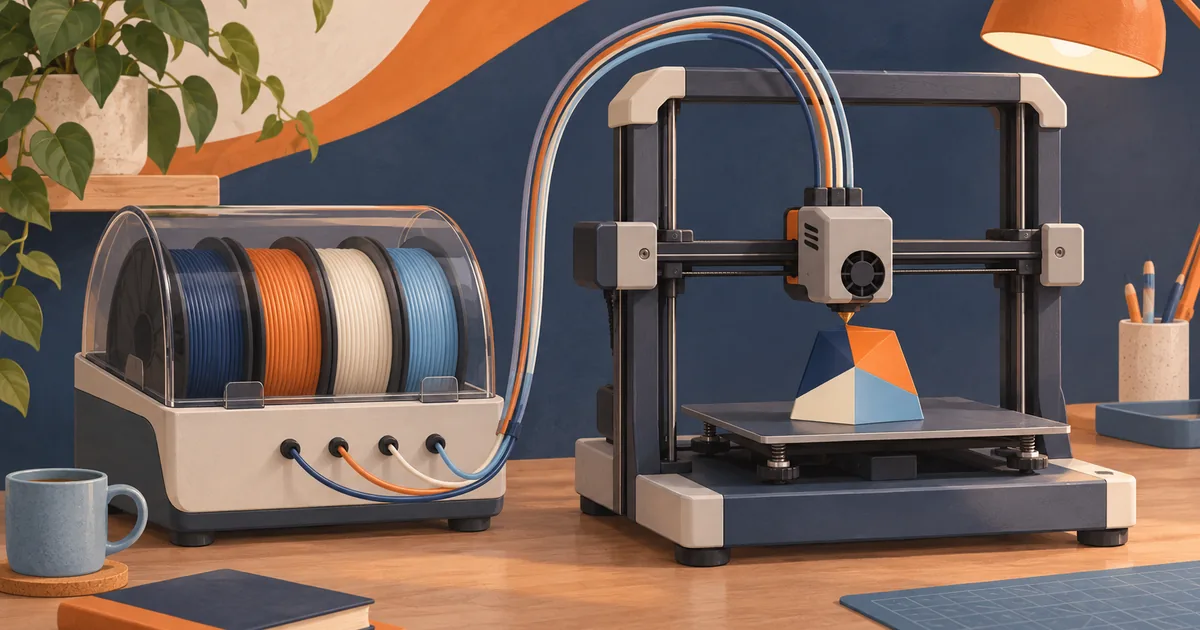
Most desktop printers have one nozzle. To print in several colours, a multi-colour unit holds several spools and swaps filament in and out of that one nozzle during the print. Each swap pushes out a little of the old colour before the new one prints cleanly. That is the key trade-off: more colours, but more time and more waste.
How single-nozzle colour swapping works
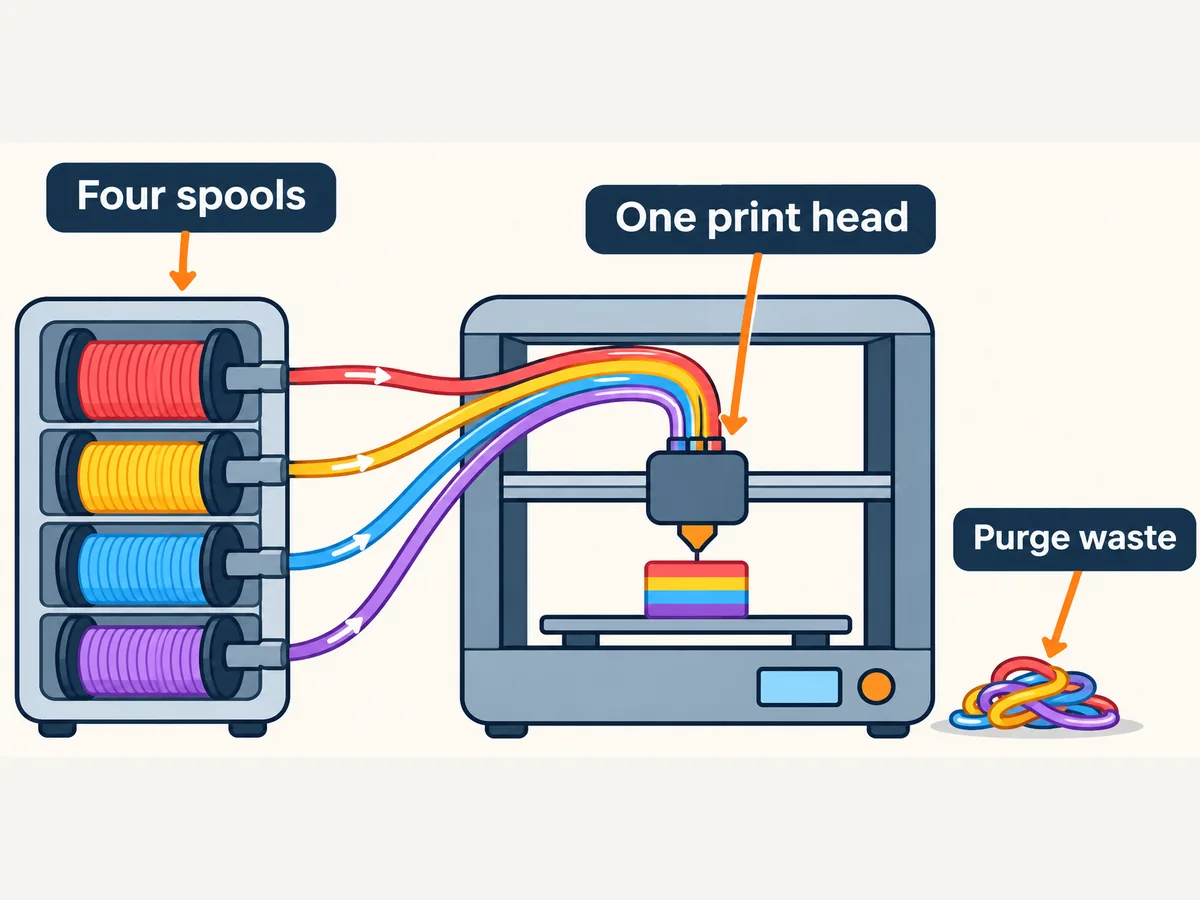
- The slicer marks where each colour starts and stops on every layer.
- At a change, the printer cuts or retracts the current filament and the unit pulls it back.
- The unit feeds the next spool to the nozzle.
- The printer purges, pushing out melted filament until the new colour runs clean. Depending on the printer the purge goes into a chute (often called "poop") or into a purge tower printed beside your model.
- Printing carries on in the new colour.
Because this happens on every layer where colours change, a model with many colour changes per layer can take far longer than the single-colour version and waste a noticeable share of filament. Slicers show an estimate of the extra filament before you print, so check it.
The main systems on UK stores (15 November 2026)
| System | Works with | Colours | UK store price seen |
|---|---|---|---|
| Bambu Lab AMS lite | A1 and A2 series only | 4 | Around £139 on its own |
| Bambu Lab AMS (full size) | P series and others, enclosed | 4 per unit | Sold with P1S and P2S Combo bundles |
| Creality CFS | K2 series | Up to 16 with 4 units | Around £249 on its own |
| Anycubic ACE 2 Pro | Kobra S1 and others | Up to 16 on the S1 combo | Sold in combos, e.g. Kobra S1 + ACE 2 Pro around £409 |
| Prusa MMU3 | MK4S, CORE One+ | Up to 5 | Check Prusa's store |
| Prusa INDX | CORE One+ | Up to 8 | Check Prusa's store |
Sources: Bambu Lab's AMS lite page, the Creality K2 page (which lists the CFS as an accessory), Anycubic's Kobra S1 + ACE 2 Pro page, and Prusa's CORE One+ comparison table.
Prices were checked 15 November 2026; sale prices change. Black Friday sales run to about 1 December 2026, but individual retailers can change prices at any time. Compatibility matters more than the snapshot price: these units are not universal.
Some notes from the makers' pages:
- Bambu says an A1 or A2 printer can only connect to one AMS lite, and that the AMS lite is not compatible with its X, P and H2 series.
- Creality says all three K2 models can be paired with the CFS, with four units for up to 16 colours.
- Anycubic lists "active drying supported" for the unit sold with the Kobra 4 Combo, and Bambu lists filament drying among the P2S features. Drying in a feeder is handy, but read the maker's temperature limits for each material.
- Prusa's MMU3 works with the MK4S, while the INDX system is for the CORE One family, according to its comparison table.
Is multi-colour worth it for you?
Worth it if you print signs, labels, toys, keyrings, multi-part cosplay pieces or models where colour is the point; or you like automatic back-up: Bambu lists "automatic filament backup" on the AMS lite, which can carry on from a second spool of the same filament.
Not worth it if you mainly print functional parts in one colour, you are on a tight budget, or you are new and still learning first layers. You can always add a unit later on printers designed for one.
Ways to cut waste and time
- Fewer colour changes per layer. A model where colours are stacked (for example a sign with a different-coloured top layer) wastes far less than one with colours mixed on every layer.
- Purge into the model. Most modern slicers can flush the old colour into infill or a hidden support. Check your slicer's settings.
- Pause and swap by hand. For two or three colour bands you can insert a pause at a set layer in your slicer and change the spool yourself. It costs nothing and wastes very little.
- Print several copies at once. Purge waste is per colour change, not per copy, so a full plate makes better use of each swap.
Alternatives to a filament-swapping unit
- Multiple toolheads or nozzles. Some higher-end printers have two nozzles or swappable toolheads, which cuts purge waste because each colour has its own nozzle. They cost more: Bambu Lab's UK store promoted the X2D as "dual-nozzle printing, made accessible", listed at around £499, with H-series machines around £859 (checked 15 November 2026; sale prices change).
- Painting. For figures and models, printing in one neutral colour and painting afterwards often gives a better finish than many colour swaps.
- Assembly. Print parts separately in different colours and glue or clip them together.
Spools, cardboard and feeders
Feeders are fussy about spool size and edges. Some makers sell "refill" filament without a spool that you fit onto a reusable spool: Bambu's PLA Basic page says refill filament needs to be used with a spool. Feeders also have limits on spool width and diameter, so check your feeder's guidance before buying third-party spools. Our spool sizes guide covers this.
Does multi-colour work with every filament?
No. Makers list which materials each unit supports. Check the unit's page before you buy flexible TPU or carbon-filled filament for it, because those are the ones most likely to need a different feed path.
Can I add a multi-colour unit to any printer?
Only to printers the unit is designed for. For example, Bambu says the AMS lite is not compatible with its X, P and H2 series, and Prusa's comparison table says the CORE One L is not MMU3 compatible.
Sources
Opened and checked on 15 November 2026.
- uk.store.bambulab.com/products/ams-lite
- uk.store.bambulab.com/products/a1-mini
- uk.store.bambulab.com/products/p1s
- uk.store.bambulab.com/products/p2s
- store.creality.com/uk/products/creality-k2-combo-3d-printer
- uk.anycubic3d.com/products/kobra-s1-ace-2-pro-combo
- uk.anycubic3d.com/products/kobra-4-combo-3d-printer
- www.prusa3d.com/product/prusa-core-one/
- www.prusa3d.com/product/original-prusa-mk4s-3d-printer-5/
- uk.elegoo.com/products/centauri-carbon-2
- uk.store.bambulab.com/collections/3d-printers